

Released October 31, 2026 · Download the latest version
Highlights
Share a draft, and get notes you can actually use. Choose File → Share Draft…, type who it’s for, and send the link. Your reader opens it in any browser — phone, tablet or computer, no app and no account — and reads your pages exactly as they’d print. When something lands (or doesn’t), they tap that line and leave a note. It comes back into Inkwell beside the passage, even after you’ve rewritten around it. Private by design. Your pages and every note are encrypted on your Mac before they leave it. Inkwell stores them, but can’t read them.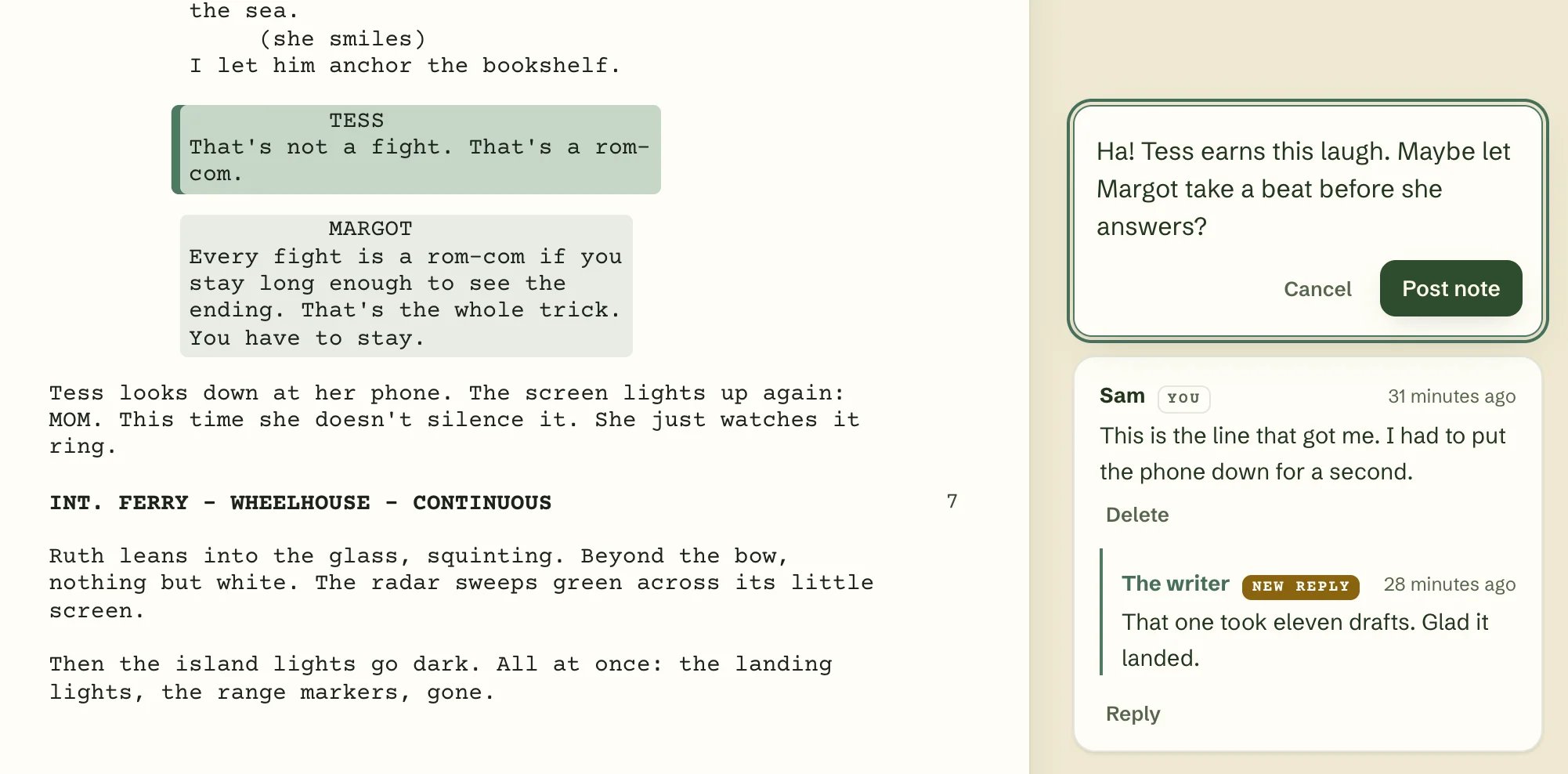
Your reader taps a line, writes a note, and it comes straight back to you.
New
- Share Draft. Make a link for each reader in seconds from File → Share Draft… (
⌥⇧⌘S) or the paper-plane button at the top of the window. Every link carries the reader’s name, so you always know whose note is whose. - A passphrase for every link. Inkwell suggests an easy-to-say one, like
maple-orbit-tuesday. Send it separately from the link, and the link alone won’t open your draft. - Links that close themselves. Choose 7, 30 or 90 days. Extend a link whenever you like, or revoke it in one click — your reader sees “This draft is no longer shared.”
- A frozen copy. Readers see the draft you sent, even while you keep writing. Done a new pass? Reshare sends that reader the new pages.
- Know who’s read it. See when each reader opened your draft, how far they got, whether they finished, and how many notes they left. Readers are told about this on the cover.
- A reading page your readers will like. Your pages exactly as printed on a computer, and a comfortable one-column Reading view on phones, with page markers so “page 42” still means page 42. A Scenes list, text size, dark mode, and it remembers where they left off. Your script’s title never shows up in their browser history or in link previews.
- Notes from one reader, or the whole room. Keep each reader’s notes private to you, or let a group see each other’s — great for a writers’ group or after a table read.
- Reader Notes. Open View → Reader Notes (
⌥⌘N) or click the Notes button — its badge counts new notes — to see every note beside your script, with a mark in the margin you can click. Notes follow the passage through your rewrites; if you’ve changed it too much to match, they wait under Unanchored notes with the text the reader saw. Reply (your reader sees it on the page), resolve, or delete. - Manage All Links. One list of every active link across all your scripts.
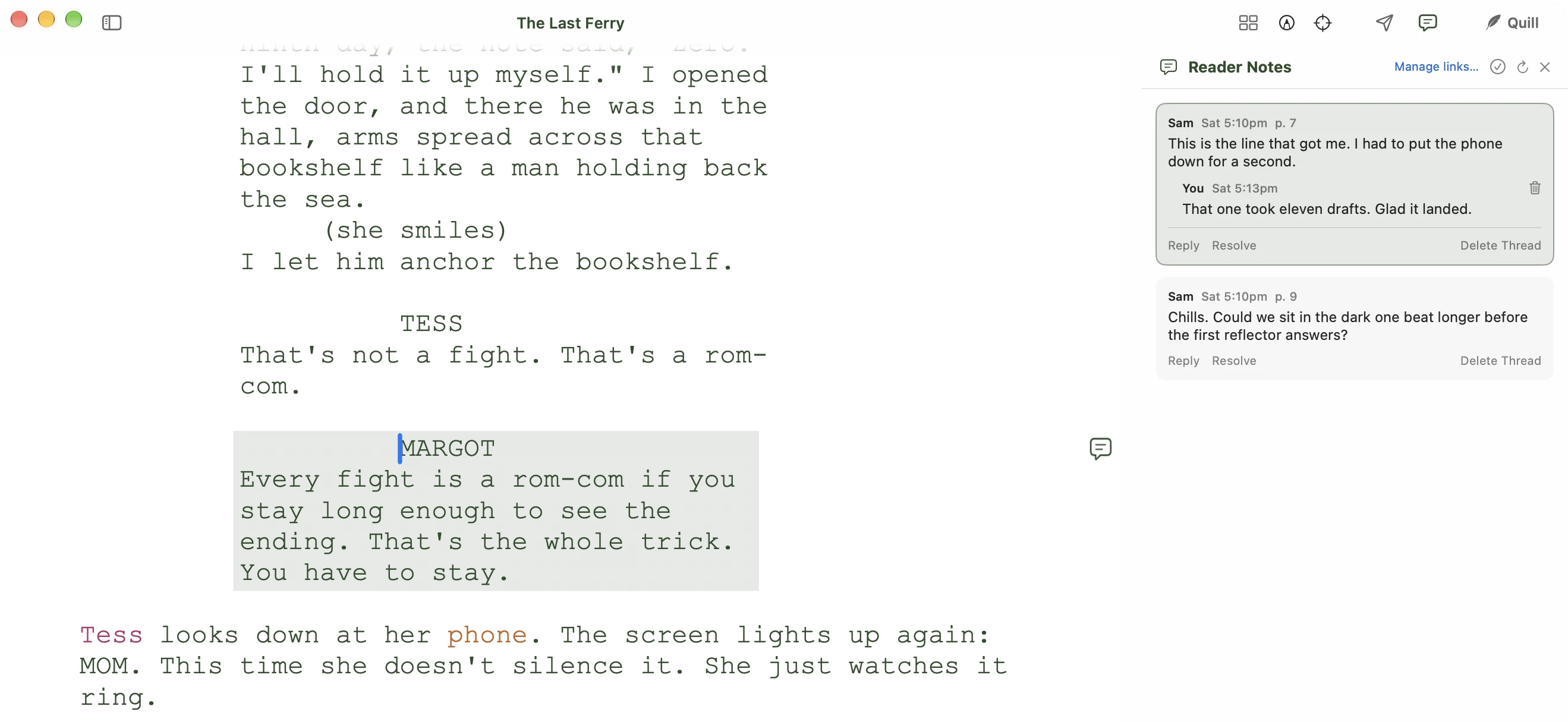
Notes sit beside the passage they're about.
[[notes]], revision marks and Quill’s pending suggestions are left out of the shared copy.
Learn how to share a draft → · Send your readers this page →
Improved
- A tidier toolbar. Share and Notes now sit beside Quill at the top of the window. In a narrow window, Beat Board, Revision and Focus fold into a single … menu so nothing gets squeezed. The Find button is gone from the toolbar —
⌘Fstill finds, exactly as before. And the pointer is a normal arrow over the top of the window, not a text cursor. - Quill’s suggestions wait for you. Edits Quill has suggested but you haven’t accepted or rejected yet are still there after you quit and reopen Inkwell.
- Cleaner PDFs. Quill suggestions you haven’t accepted no longer print, and neither do Fountain force markers (
@,>,!,^). Sides, cue scripts and dual dialogue now get their (MORE) and (CONT’D) where they belong.
Fixed
- A suggested deletion stays a deletion after you save and reopen the script.
- One script can no longer end up open in two windows through Save As or a rename. If a script’s file is moved or deleted while it’s open, the window warns you before it closes, so you don’t lose what’s on screen.
- Switching between Inkwell accounts on the same Mac keeps each account’s synced scripts separate.